How to Turn Photos into 3D Models: A Complete Guide
In the burgeoning field of 3D technology, transforming photos into 3D models has become an increasingly accessible and fascinating endeavor.

In the burgeoning field of 3D technology, transforming photos into 3D models has become an increasingly accessible and fascinating endeavor. This guide will walk you through the entire process, from understanding the basics of photogrammetry to using advanced software tools. Whether you’re a hobbyist or a professional, this comprehensive guide will provide you with the insights you need to convert 2D images into detailed 3D models.
Understanding Photogrammetry
Photogrammetry is the cornerstone of converting photos into 3D models. It involves taking measurements from photographs, especially to recover the exact positions of surface points. The principle is simple: by taking multiple images from different angles, you can reconstruct a 3D model that represents the photographed object.
The Basics of Photogrammetry
Photogrammetry relies on triangulation. By taking photos from at least two different locations, you can create lines of sight from the camera to the object. The intersection of these lines determines the 3D coordinates of the points on the object. This process requires a series of overlapping photographs taken from different perspectives, ideally covering every angle of the object.
Applications of Photogrammetry
Beyond hobbyist applications, photogrammetry is used in various fields such as architecture, archaeology, and even film production. It helps in creating detailed models for documentation, analysis, and visualization purposes. This versatility makes learning photogrammetry highly valuable in the digital age.
Tools and Software for 3D Modeling
Several powerful tools and software programs can aid in converting photos into 3D models. These tools range from free software options to professional-grade applications that provide extensive features and capabilities.
Choosing the Right Software
The choice of software largely depends on your specific needs, budget, and expertise level. Here are some popular options:
- Agisoft Metashape: A professional tool offering a comprehensive suite of features for photogrammetry and 3D modeling. It is known for its accuracy and detailed output.
- RealityCapture: This software is renowned for its speed and efficiency, making it ideal for large projects. It supports both drone and terrestrial imagery.
- Meshroom: An open-source, free-to-use option that is perfect for beginners. It offers a user-friendly interface and integrates well with other software.
- 3DF Zephyr: This tool provides an easy-to-use interface with advanced editing capabilities, suitable for both beginners and professionals.
Hardware Considerations
While software plays a crucial role, the quality of your photos is equally important. A good camera with a high resolution will capture more detail, resulting in a more accurate 3D model. Additionally, consistent lighting and a stable shooting environment are essential for optimal results.
Step-by-Step Guide to Creating 3D Models from Photos
Transforming photos into 3D models involves several key steps. Here is a detailed breakdown of the process:
Step 1: Capture the Images
Begin by taking multiple photos of the object from different angles. Ensure that there is sufficient overlap between the images, as this will help the software accurately reconstruct the 3D model. Try to maintain consistency in lighting and focus to minimize discrepancies in the final model.
Step 2: Import and Align Images
Once you have your images, import them into your chosen photogrammetry software. The software will automatically detect common points between the images and align them accordingly. This step is crucial as it sets the foundation for the 3D model reconstruction.
Step 3: Generate the 3D Model
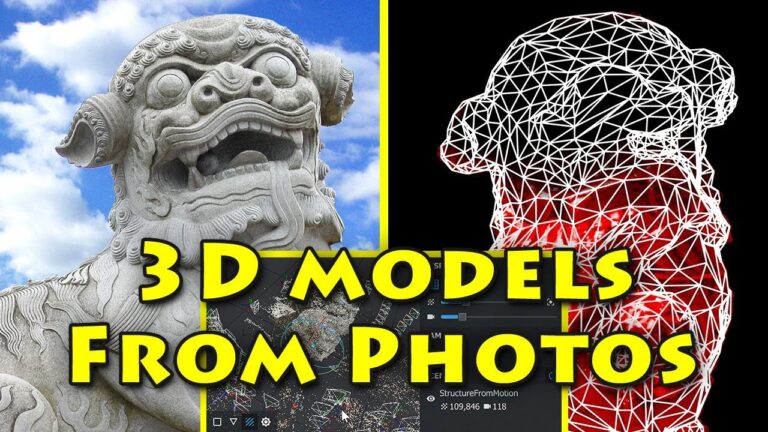
After aligning the images, the software will generate a dense point cloud. This cloud represents the object in three dimensions. From here, you can create a mesh, which is essentially a network of polygons that forms the surface of the 3D model.
Step 4: Refine and Edit the Model
Once the basic model is created, you can refine it by smoothing surfaces, filling holes, and adjusting textures. This step often involves additional software tools for detailed editing and enhancement.
Step 5: Export and Use the Model
Finally, export the completed model in a format that suits your needs. Common formats include OBJ, STL, and PLY. These models can be used for various applications, from 3D printing to animation and visualization.
Challenges and Tips for Successful 3D Modeling
While transforming photos into 3D models is a rewarding process, it comes with its own set of challenges. Here are some tips to ensure success:
Overcoming Common Challenges
- Lighting Issues: Inconsistent lighting can result in poor texture quality. Use diffused lighting to minimize shadows and highlights.
- Reflective Surfaces: Objects with reflective surfaces can confuse the software. Use matte sprays or powders to reduce reflections.
- Complex Geometry: Highly detailed objects may require more images and higher resolution to capture all details accurately.
Optimizing Workflow
Streamline your workflow by organizing your photos and using batch processing capabilities of your software. Regularly save your progress to prevent data loss and make use of software documentation and tutorials for troubleshooting.
Conclusion
Transforming photos into 3D models is a fascinating blend of art and technology. With the right tools, techniques, and a bit of practice, you can create highly detailed and accurate 3D models from simple photographs. Whether for personal projects or professional applications, mastering this process opens up a world of creative possibilities.
By following the steps outlined in this guide and continually refining your skills, you can harness the power of photogrammetry and 3D modeling to bring your visions to life.