Top 3D Photo Editing Software for Stunning Visuals
Introduction
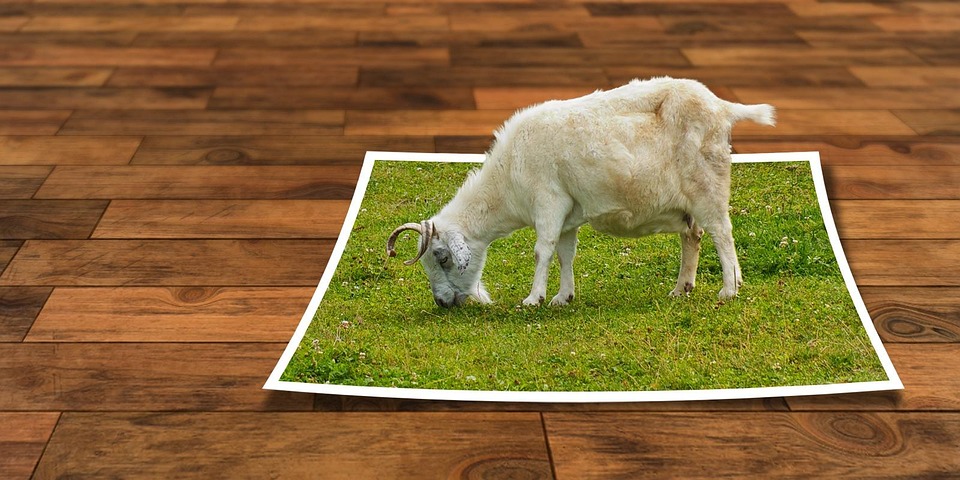
In the rapidly evolving world of digital media, 3D photo editing has emerged as a game-changer, revolutionizing the way we perceive and interact with images. The demand for stunning visuals has led to the development of sophisticated software that allows creators to transform ordinary photographs into immersive three-dimensional experiences. Whether you’re a professional photographer, a digital artist, or an enthusiastic hobbyist, leveraging the right 3D photo editing software can significantly enhance your creative projects. In this article, we will explore the top 3D photo editing software that empowers users to produce stunning visuals.
Understanding 3D Photo Editing
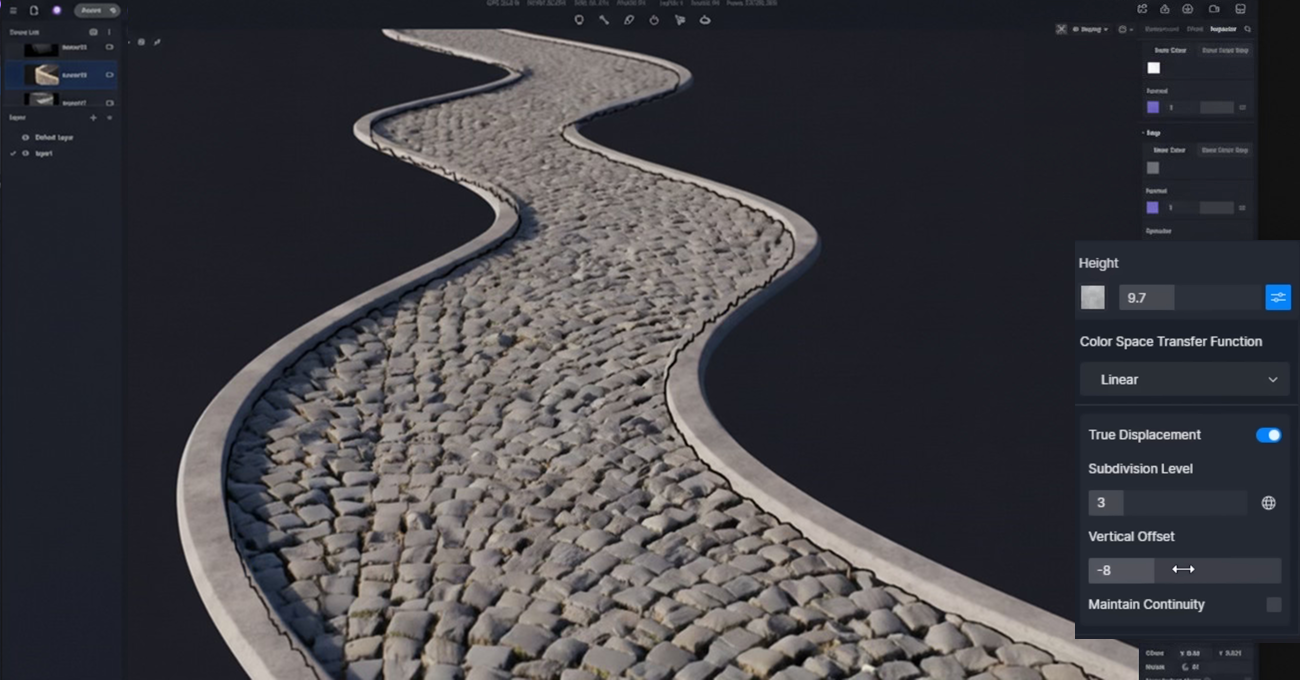
Before delving into the specific software, it’s essential to understand what 3D photo editing entails. Unlike traditional 2D editing, which involves adjusting aspects like color, brightness, and contrast, 3D editing adds depth and perspective, creating images that appear more realistic and dynamic. This process often involves manipulating the geometric data of an image, applying textures, and simulating lighting effects to give the illusion of three dimensions.
Criteria for Selecting 3D Photo Editing Software
Choosing the right 3D photo editing software can be daunting, given the myriad of options available. However, several critical factors can guide your decision:
1. **Ease of Use**: The software should have an intuitive interface, allowing users of all skill levels to navigate and utilize its features effectively.
2. **Feature Set**: Comprehensive tools for 3D modeling, texturing, rendering, and animation should be available to cater to different creative needs.
3. **Performance**: The software should be capable of handling high-resolution images and complex computations without compromising speed.
4. **Compatibility**: It should support various file formats and integrate smoothly with other popular design tools.
5. **Community and Support**: Access to tutorials, forums, and customer support can greatly enhance the user experience.
Top 3D Photo Editing Software
After thorough research and consideration of the above criteria, we’ve identified the top 3D photo editing software that stands out in the industry.
Adobe Dimension
Adobe Dimension is a powerful tool that seamlessly integrates with Adobe’s Creative Cloud suite, making it an attractive choice for users already familiar with Adobe’s ecosystem. It is designed to create photorealistic 3D images and mockups, making it ideal for product visualization, branding, and packaging design.
**Features:**
– **User-Friendly Interface**: Adobe Dimension boasts an intuitive drag-and-drop interface, allowing users to easily place 3D models, materials, and lighting into their compositions.
– **Real-Time Rendering**: The software offers real-time rendering, enabling users to see changes as they make them, which is crucial for achieving the desired look quickly.
– **Extensive Library**: Users have access to a vast library of models, materials, and lighting presets, which can significantly speed up the design process.
– **Seamless Integration**: Integration with Adobe Photoshop and Illustrator allows for easy import and export of assets, enhancing workflow efficiency.
**Pros:**
– Comprehensive features tailored for professional design projects.
– High-quality output suitable for commercial use.
**Cons:**
– Requires a Creative Cloud subscription.
– May have a learning curve for beginners unfamiliar with Adobe products.
Blender
Blender is an open-source 3D creation suite that is highly regarded for its versatility and robust feature set. It is widely used in industries ranging from film to video games, and its capabilities extend to 3D photo editing.
**Features:**
– **Comprehensive Toolset**: Blender offers tools for modeling, sculpting, texturing, rigging, animating, and rendering, making it a one-stop solution for 3D projects.
– **Customizable Interface**: Users can tailor the interface to suit their workflow, enhancing productivity.
– **Advanced Rendering**: With its powerful rendering engine, Cycles, Blender can produce high-quality, photorealistic images.
– **Active Community**: A large and active community provides a wealth of resources, including tutorials, plugins, and forums.
**Pros:**
– Free to use, making it accessible to everyone.
– Regular updates and improvements driven by community contributions.
**Cons:**
– Steeper learning curve due to its extensive feature set.
– May require a powerful computer to run smoothly, especially for complex projects.
Autodesk Maya
Autodesk Maya is a leading 3D modeling and animation software used by professionals in film, television, and gaming industries. While it is primarily known for animation, its 3D photo editing capabilities are equally impressive.
**Features:**
– **Professional-Grade Tools**: Maya provides advanced tools for modeling, texturing, and rendering, suitable for creating intricate 3D scenes.
– **AI and Machine Learning Integration**: The software leverages AI to enhance simulations, animations, and rendering processes.
– **High Customizability**: Maya’s extensive scripting capabilities allow for highly customized workflows.
– **Industry Standard**: Widely used in professional settings, ensuring compatibility with various industry pipelines.
**Pros:**
– Unmatched capabilities for creating complex 3D projects.
– Regular updates with new features to stay ahead of industry trends.
**Cons:**
– Expensive, with a pricing model that may not be suitable for hobbyists.
– Requires a steep learning curve, best suited for experienced users.
Conclusion
The realm of 3D photo editing is vast and continually evolving, offering creatives powerful tools to push the boundaries of visual storytelling. Whether you opt for Adobe Dimension with its seamless integration into the Creative Cloud, Blender’s robust and free-to-use platform, or Autodesk Maya’s professional-grade tools, each of these software solutions has unique strengths that cater to different needs and expertise levels.
Choosing the right software ultimately depends on your specific requirements, budget, and skill level. As you explore these tools, remember that practice and experimentation are key to mastering 3D photo editing and creating stunning visuals that captivate and engage your audience.
#ChatGPT assisted in the creation of this article.








Post Comment