Mastering Realistic Depth Rendering in 3D Software
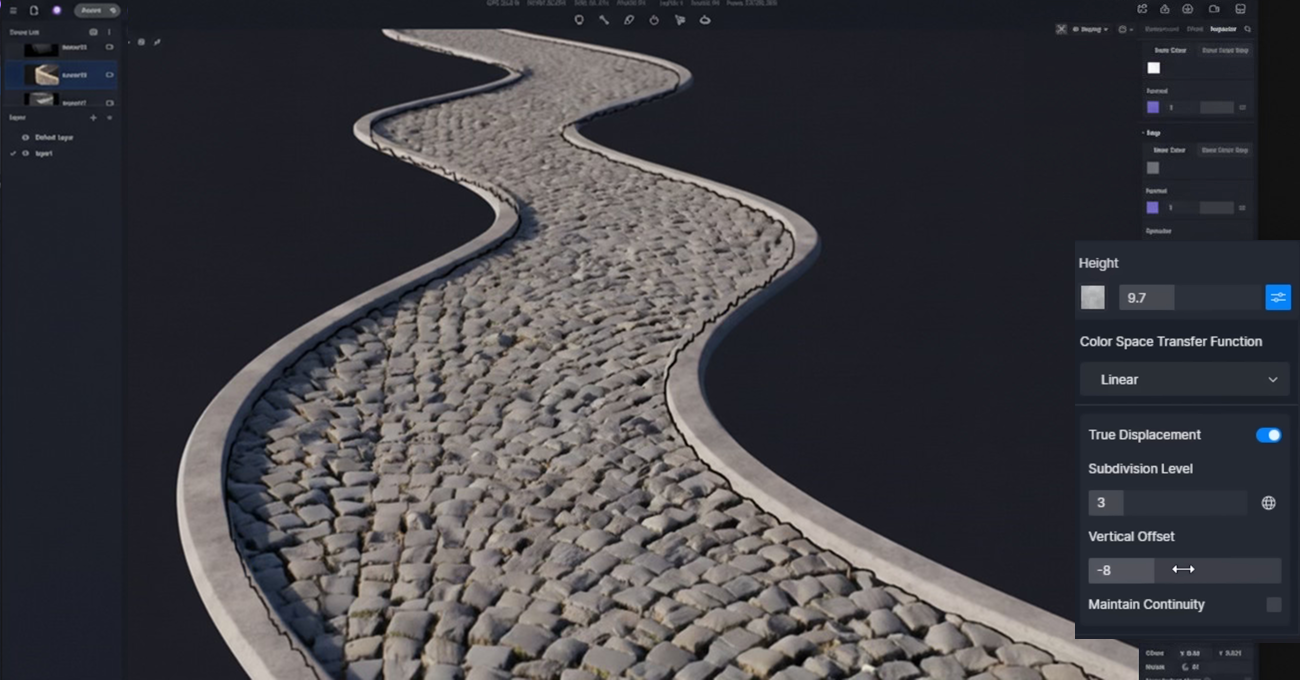
In the ever-evolving world of 3D graphics, achieving realistic depth is a crucial aspect that can significantly enhance the visual appeal of any project. Whether you’re working on a blockbuster movie, a video game, or an architectural visualization, mastering depth rendering can elevate your work to new heights. This article delves into the intricacies of realistic depth rendering in 3D software, offering insights and techniques to help you achieve stunning results.
Understanding Depth in 3D Rendering
Depth in 3D rendering refers to the perception of spatial distance and the relative positioning of objects within a scene. It is what transforms a flat image into a lifelike representation, allowing viewers to interpret the spatial relationships between different elements. Rendering realistic depth involves various factors, including lighting, shadows, perspective, and atmospheric effects.
The Role of Lighting
Lighting plays a pivotal role in creating depth in a 3D scene. Properly placed light sources can cast shadows and highlights that define the contours of objects, giving them a three-dimensional appearance. Techniques like three-point lighting, global illumination, and ambient occlusion are essential tools in a 3D artist’s toolkit for achieving realistic depth.
Shadows: Enhancing Depth Perception
Shadows are critical for conveying depth in a scene. They provide visual cues about the distance and spatial relationship between objects. Soft shadows are ideal for natural lighting scenarios, while hard shadows can be used for dramatic effects. Shadow mapping and ray tracing are common methods used in 3D software to generate realistic shadows.
Perspective and Camera Techniques
Perspective is another key element in depth rendering. The camera’s position and angle can dramatically impact the perception of depth in a scene. Understanding how to manipulate focal length, field of view, and camera placement can help you create more immersive and realistic images.
Focal Length and Field of View
The focal length of your camera affects how objects are perceived in terms of size and distance. Wide-angle lenses can exaggerate depth, making objects appear further apart, while telephoto lenses compress the scene, bringing objects closer together. Adjusting the field of view allows you to control the extent of the scene visible through the camera lens, impacting the depth perception.
Camera Placement and Movement
Strategic camera placement can enhance the depth of a scene. Placing the camera at a lower angle can emphasize height and depth, while a higher angle can flatten the scene. Camera movement, such as dolly shots or zooms, can also introduce dynamic depth changes, adding a cinematic quality to your work.
Atmospheric Effects: Adding Realism
Atmospheric effects like fog, haze, and depth of field are powerful tools for enhancing depth perception. These effects mimic how light interacts with the atmosphere in the real world, adding layers of realism to your renderings.
Fog and Haze
Fog and haze can be used to create a sense of distance and scale within a scene. By partially obscuring objects that are further away, these effects simulate atmospheric perspective, where distant objects appear lighter and less detailed than those in the foreground.
Depth of Field
Depth of field (DoF) is a photographic effect that blurs objects outside the camera’s focus range, directing the viewer’s attention to specific areas of the scene. This effect is especially useful for creating a sense of depth and directing the viewer’s eye within complex compositions.
Post-Processing Techniques
Post-processing is the final step in achieving realistic depth rendering. Using tools like Adobe After Effects, Photoshop, or built-in compositing features in 3D software, you can fine-tune lighting, shadows, and atmospheric effects to enhance the depth of your render.
Color Grading
Color grading can significantly impact the perception of depth. By adjusting the contrast and color balance, you can enhance the separation between foreground and background elements, creating a more pronounced sense of depth.
Layered Compositing
Layered compositing allows you to separately adjust different elements of your scene. By isolating foreground, midground, and background layers, you can apply specific adjustments to each, such as blurring the background to emphasize the subject in the foreground.
Conclusion
Mastering realistic depth rendering in 3D software is a multifaceted endeavor that requires a solid understanding of lighting, perspective, atmospheric effects, and post-processing techniques. By honing these skills and experimenting with different approaches, you can create visually compelling scenes that captivate viewers with their lifelike depth. As technology continues to advance, the possibilities for achieving even more realistic depth in 3D rendering are limitless, offering exciting opportunities for artists and creators to push the boundaries of visual storytelling.







Post Comment