Master Depth Map Editing for Stunning 3D Visuals
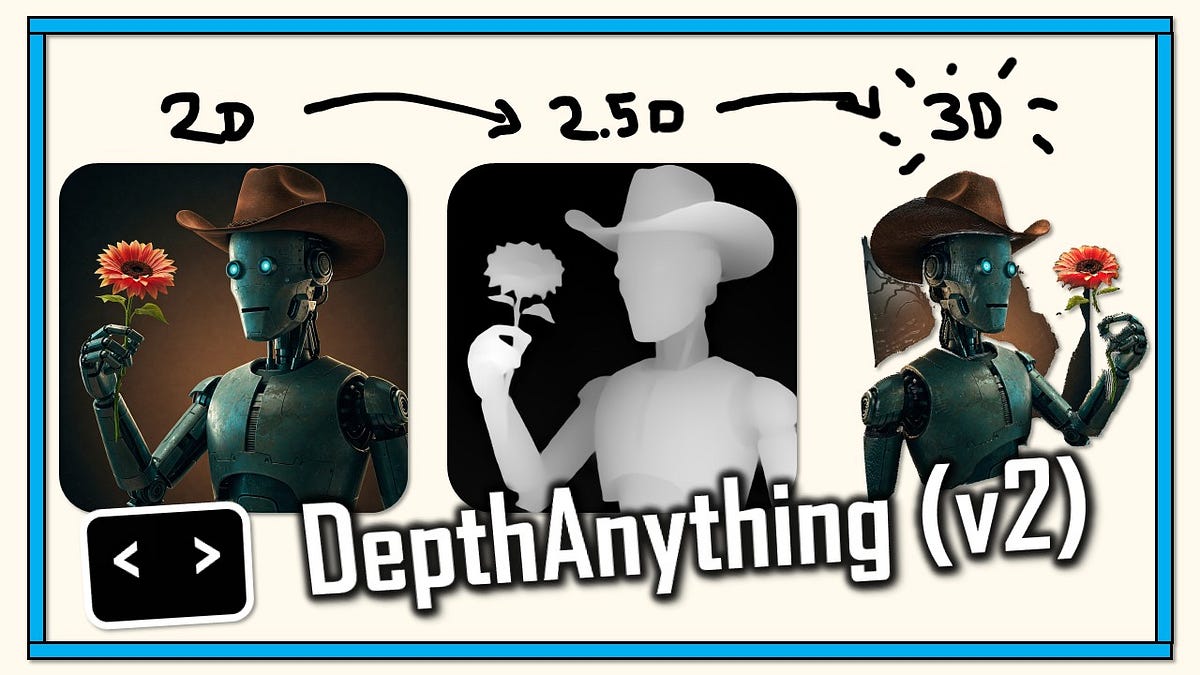
As the digital world continues to evolve, the demand for stunning 3D visuals intensifies. Depth maps, a fundamental component in 3D rendering and imaging, play a critical role in creating realistic and immersive visuals. A depth map is essentially a grayscale image where each pixel’s shade represents its distance from the viewer, enabling the creation of a stereoscopic or three-dimensional effect. Mastering depth map editing can enhance the realism and quality of 3D visuals, making them more engaging and lifelike.
Understanding the Basics of Depth Maps
Before diving into editing, it’s crucial to understand the basics of depth maps. In a depth map, white pixels represent points closest to the camera, while black pixels signify the farthest points. Intermediate shades of gray indicate varying distances. This representation allows software to simulate depth in a scene, contributing to the perception of a 3D space.
Depth maps are used in various applications, including 3D modeling, augmented reality, and post-production in filmmaking. They are instrumental in processes like depth-of-field adjustments, object placement, and lighting effects, all of which are pivotal for creating visually captivating content.
The Importance of Mastering Depth Map Editing
Editing depth maps can significantly enhance the final output of 3D visuals. By refining these maps, creators can control the depth and spatial relationships within a scene, ensuring that the visual narrative aligns with the intended artistic vision. Moreover, precise depth map editing can solve issues such as incorrect depth perception, unrealistic object interactions, and poor lighting effects.
Mastery of depth map editing also opens up creative possibilities. By manipulating depth information, artists can create surreal, dream-like scenes or emphasize particular elements within a composition, enhancing storytelling and visual impact.
Tools and Software for Depth Map Editing
A variety of tools and software are available for depth map editing. Each offers unique features tailored to different aspects of 3D visualization. Here are some of the most popular options:
- Adobe Photoshop: Known for its robust image editing capabilities, Photoshop is excellent for fine-tuning depth maps. Its gradient tools and masks are particularly useful for manual adjustments.
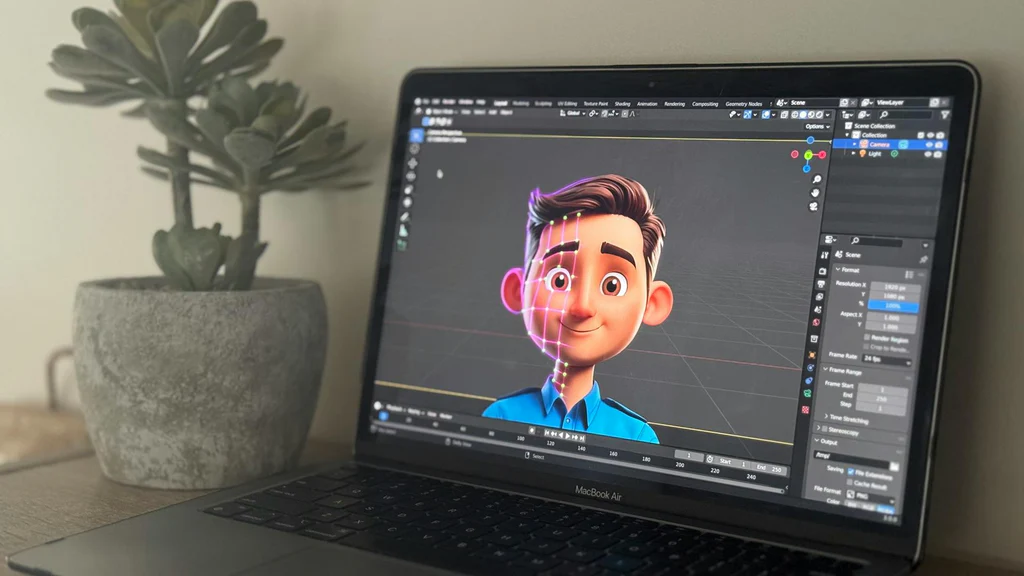
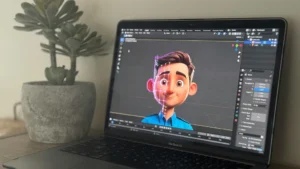
- Blender: As an open-source 3D creation suite, Blender offers built-in tools for generating and editing depth maps. Its compositor provides a node-based workflow for sophisticated depth manipulations.
- ZBrush: Popular in the 3D sculpting community, ZBrush includes features for depth map extraction and editing, allowing artists to leverage the software’s powerful texturing and detailing capabilities.
- Unity and Unreal Engine: For interactive 3D applications and games, these engines support depth map editing through shaders and post-processing effects, enabling real-time adjustments.
Techniques for Effective Depth Map Editing
Editing depth maps involves several techniques that can dramatically improve 3D visuals. Here are some effective methods:
Smoothing and Refining
Depth maps may contain noise or irregular gradients due to imperfect data capture or rendering artifacts. Smoothing techniques, such as applying Gaussian blur or using Photoshop’s healing brush, can help refine these maps for a cleaner result. This step is crucial for preventing jagged edges or sharp transitions in the final image.
Enhancing Contrast
Increasing the contrast in a depth map can help accentuate depth differences, making the 3D effect more pronounced. Tools like Photoshop’s Levels or Curves adjustments are useful for this purpose. By carefully adjusting these parameters, artists can ensure that depth cues are clear and effective.
Custom Gradients and Masks
Custom gradients and masks allow for precise control over specific areas of a depth map. Artists can use these tools to selectively modify depth information, emphasizing or de-emphasizing certain elements within a scene. This technique is particularly useful for directing viewers’ attention or achieving a desired artistic effect.
Depth-based Effects
Leveraging depth information to apply effects such as depth of field, fog, or volumetric lighting can add realism and depth to a scene. These effects rely on the accurate interpretation of depth maps to simulate how light interacts with objects at various distances.
Advanced Techniques and Considerations
For those seeking to push the boundaries of depth map editing, advanced techniques offer additional possibilities for creativity and realism.
Multi-layered Depth Maps
Utilizing multiple depth maps in a single scene allows for more complex interactions and effects. Each layer can represent different elements or planes within a scene, providing greater control over the final composition.
Dynamic Depth Maps
In dynamic or interactive environments, depth maps can be animated or updated in real-time to reflect changes in a scene. This technique is commonly used in video games and virtual reality applications, where depth perception is crucial for immersion.
Machine Learning and AI
Recent advancements in machine learning and AI have introduced new possibilities for depth map editing. Algorithms can automatically generate or refine depth maps, reducing manual effort and enabling new creative workflows. Tools that incorporate AI can analyze scenes to predict depth with greater accuracy, even in challenging conditions.
Conclusion
Mastering depth map editing is a powerful skill that can elevate the quality of 3D visuals. By understanding the fundamentals and employing a range of editing techniques, artists and creators can produce stunning, immersive content that captivates audiences. Whether for film, gaming, or virtual reality, the ability to manipulate depth maps effectively opens up a world of creative possibilities, transforming how we perceive and interact with digital environments.
As technology continues to advance, the tools and techniques for depth map editing will evolve, offering even more opportunities for innovation and expression. By staying informed and honing their skills, creators can continue to push the boundaries of what’s possible in the realm of 3D visuals.




Post Comment