Top 3D Photo Editor Tools for Stunning Visuals
The world of digital art and content creation has embraced the third dimension, and with the rise of AR, VR, and immersive media, the demand for compelling 3D visuals has never been higher. Whether you are a professional graphic designer, a digital artist, or a hobbyist, having the right tools to create stunning 3D visuals is essential. In this article, we’ll explore the top 3D photo editor tools that can help you craft breathtaking visuals.
Adobe Dimension
Adobe Dimension is a standout in the realm of 3D photo editing, offering a seamless integration of 3D design capabilities with Adobe’s suite of creative tools. Known for its user-friendly interface and robust features, Dimension allows users to create high-quality, photorealistic 3D images with ease.
Features and Benefits
Adobe Dimension provides a rich set of features that cater to both beginners and seasoned professionals. It supports drag-and-drop functionality for models, materials, and lights, making it easier for users to bring their 2D designs into the 3D world. The tool also offers realistic lighting and shadowing, which are critical for achieving photorealism.
Furthermore, Dimension’s integration with Adobe Creative Cloud allows seamless workflows between applications like Photoshop and Illustrator, enhancing productivity for users who rely on multiple Adobe tools in their creative process.
Use Cases
Adobe Dimension is particularly useful for product designers, marketers, and advertisers looking to create realistic product mockups and visualizations. Its ability to produce high-quality renders helps businesses showcase their products in a visually appealing manner.
Blender
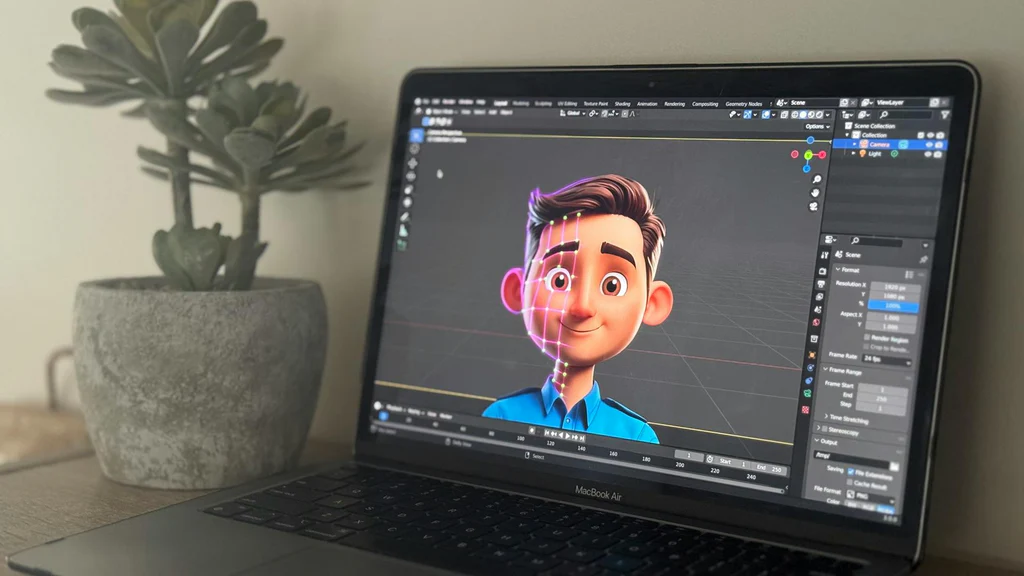
Blender is a powerful open-source 3D creation suite that has gained immense popularity among artists and designers for its versatility and comprehensive feature set. From modeling and sculpting to rendering and compositing, Blender covers all aspects of 3D design.
Features and Benefits
One of Blender’s most significant advantages is its extensive toolset, which includes sculpting, animation, simulation, rendering, and motion tracking. The software is renowned for its Cycles render engine, which delivers stunningly realistic renders and supports GPU rendering for faster output.
Blender’s interface is highly customizable, allowing users to tailor their workspace according to their specific needs. Additionally, its active community and abundance of tutorials make it an excellent choice for both newcomers and experienced users.
Use Cases
Blender is ideal for artists and developers involved in game design, film production, and animation. It is also widely used in architectural visualization due to its ability to create highly detailed and lifelike scenes.
Autodesk Maya
Autodesk Maya is an industry-standard in 3D modeling and animation, recognized for its advanced features and capabilities. It has been a staple in the film, television, and gaming industries, providing artists with tools to create complex and detailed 3D models and animations.
Features and Benefits
Maya offers a comprehensive suite of tools for 3D creation, including sophisticated modeling, texturing, and rendering capabilities. Its robust animation features enable the creation of intricate character animations, making it a favorite among animators.
With its powerful rendering tools, Maya can produce high-quality visuals, and its Arnold renderer integration ensures photorealistic results. Maya also supports Python and MEL scripting, allowing for automation and customization of workflows.
Use Cases
Maya is extensively used in the production of films, TV shows, and video games. Its capabilities in character animation and visual effects make it a go-to choice for visual effects artists and animators seeking to create dynamic and engaging content.
Conclusion
The demand for stunning 3D visuals continues to grow across industries, and having the right tools at your disposal is crucial for success. Adobe Dimension, Blender, and Autodesk Maya each offer unique features and benefits tailored to different aspects of 3D design and creation.
Adobe Dimension excels in ease of use and integration with Adobe’s ecosystem, making it perfect for product visualization and marketing materials. Blender’s versatility and open-source nature make it accessible to a wide range of users, from hobbyists to professionals. Autodesk Maya’s advanced features and industry standing make it a powerhouse for film and game production.
Choosing the right 3D photo editor tool depends on your specific needs, project requirements, and skill level. Regardless of your choice, these tools will empower you to create stunning 3D visuals that captivate and engage your audience.
#ChatGPT assisted in the creation of this article.






Post Comment